


Airbnb host earnings to DSCR loan approval: complete 2026 workflow

Instead of manually combining Airbnb payouts before every lender request, use a property-level reconciliation and lender-approved income calculation to turn Airbnb income for DSCR loan review into a traceable application file. This 2026 workflow takes you from host earnings records to documented rental income, a debt-service calculation, and an organized submission—not a promise of approval.
TL;DR
- Airbnb income for DSCR loan qualification depends on the lender’s accepted rental-income method, not your dashboard total.
- Loanguys offers DSCR and short-term rental loan programs for investors seeking mortgage-broker guidance.
- Reconcile property earnings to payouts and deposits before calculating debt-service coverage.
- Confirm property eligibility, income documentation, and payment assumptions before submitting your application.
Why this matters
Airbnb earnings, bank deposits, and qualifying rental income are different figures. A payout reflects transaction adjustments; qualifying income follows the selected lender’s rules. Treating them as interchangeable produces a calculation the underwriter cannot reproduce.
Loanguys is best for investors seeking mortgage-broker guidance on DSCR and short-term rental loans. You can start with Loanguys to discuss the financing category, then use this workflow to organize the supporting evidence. Broker guidance does not replace the lender’s review of your property, credit, assets, and documentation.
For your 2026 application, establish the income method before building a spreadsheet. Otherwise, a polished earnings summary can still answer the wrong underwriting question.
Before you start
- Gather account access and records. Obtain your Airbnb earnings and payout records, receiving-bank statements, property-management statements where applicable, and records connecting each listing to its property address. Keep original exports alongside your working spreadsheet.
- Confirm property and borrower eligibility. Ask the lender about short-term rental eligibility, permitted ownership structures, credit review, reserves, and required income evidence. Verify applicable local rental rules and association restrictions separately.
- Resolve the hidden gotcha: pooled payouts. A deposit can cover multiple reservations or properties, while co-host or manager payments can change what reaches your account. Confirm how the lender wants those amounts documented before treating deposits as property income.
There is no universal Airbnb-to-DSCR approval integration. This is a document and calculation workflow; do not connect financial accounts to a third-party service unless you understand its permissions and the lender accepts its output.
Income-method configuration
Choose the underwriting basis before collecting more paperwork. Use the lender’s accepted method, not whichever method produces the largest income figure.
Select the evidence route
- Ask whether the proposed DSCR program accepts documented short-term rental history, an appraisal-supported rental figure, or another specified income source. Get the required documentation and calculation instructions in writing.
- Confirm the reporting period. If the lender requests 12 months of history, supply that period rather than substituting your strongest season. For an incomplete 2026 period, separate year-to-date results from any completed historical period.
- Create spreadsheet fields labeled Property address, Listing identifier, Reporting period, Income source, and Lender method. These are labels you create, not Airbnb interface controls.
- Record how the lender treats cleaning charges, platform fees, refunds, management expenses, and any required income adjustments. Do not assume every amount collected from a guest qualifies as rent.
Expected result: You have an agreed evidence route, a defined reporting period, and written instructions for converting source records into qualifying income.
Compare the documentation routes
The following comparison describes evidence routes, not guaranteed program features. Acceptance depends on the lender reviewing your file.
Actual operating history
- Best for: Established rentals with traceable records
- Advantage: Shows the property’s documented performance
- Limitation: Requires reconciliation and lender-specific adjustments
Appraisal-supported rental income
- Best for: Files where the lender requires an appraiser’s rental analysis
- Advantage: Connects the income review to a property valuation assignment
- Limitation: The accepted figure can differ from host earnings
Approved rental projection
- Best for: New operations where the program permits projected income
- Advantage: Provides an evaluation route without established host history
- Limitation: A projection is not proof of realized earnings
Recommendation: Ask the lender to select the applicable route before ordering an outside rental report. An attractive projection is not useful underwriting evidence if the program does not accept its source or methodology.
Property-income reconciliation
Build a clear trail from reservation activity to money received. Keep the original records unchanged and put explanations in a separate working file.
Assemble the property ledger
- Obtain the earnings and payout records for the agreed period using the reporting functions accessible in your Airbnb account. Save the source files with their reporting dates; do not substitute a dashboard screenshot for transaction detail when detail is required.
- Create columns labeled Stay dates, Payout date, Reservation reference, Gross earnings, Adjustments, Net payout, and Bank deposit. Add the property address or listing identifier to every row.
- Assign each transaction to the correct property. Split pooled payouts using the underlying transaction records, and retain an explanation showing how the pieces reconcile to the original total.
- Match net payouts to bank deposits. Document timing differences, refunds, withheld amounts, and payments routed through a manager or co-host. Flag unresolved differences instead of forcing the totals to agree.
- Summarize the reconciled ledger by month. Keep stay-based earnings and deposit-based receipts separate so the lender can apply its required timing convention.
Expected result: Each reported income amount traces back to a property, a source transaction, and the corresponding payout or documented explanation.
This sequence keeps collection separate from interpretation. First establish what happened; then apply the lender’s qualifying-income rules.
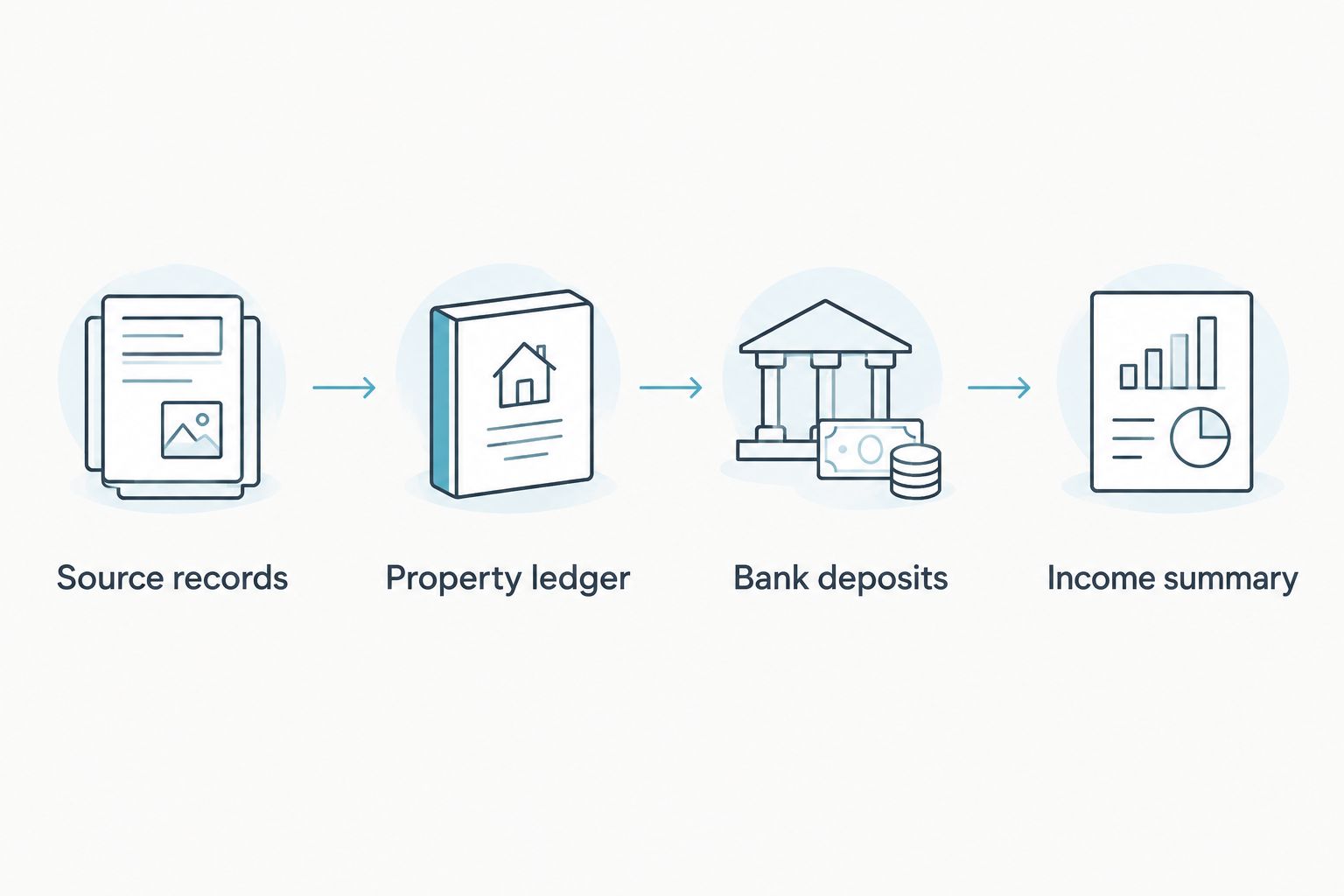
Reconcile the records before applying the lender’s qualifying-income method.
Preserve the audit trail
Use filenames that identify the property and reporting period. Store the reconciliation beside the source records, not in place of them.
Your submission should explain differences without changing the evidence. If a deposit lands in a different month from the related stay, record that timing difference; do not move the transaction merely to improve a monthly total.
DSCR calculation configuration
DSCR means debt-service coverage ratio: the accepted income measure divided by the applicable debt-service measure. Residential investment-property programs and commercial underwriting do not necessarily use identical numerator and denominator definitions.
Build the coverage worksheet
- Enter the lender-accepted rental-income figure in Qualifying monthly income. If the lender requires annual income, use annual figures consistently on both sides of the calculation.
- Enter the proposed payment components in Qualifying monthly obligation. Ask whether the denominator includes principal, interest, taxes, insurance, association dues, or other required items. Do not use only principal and interest when the program requires more.
- Calculate DSCR by dividing qualifying income by the qualifying obligation. A 1.00x ratio means the numerator equals the denominator: 100% coverage of the obligation included in that calculation. It does not establish the program’s approval threshold.
- Record the source and effective date for each input. Update the worksheet when insurance, taxes, association dues, loan structure, or the lender’s accepted income figure changes.
- Ask the lender to confirm the calculation and required ratio. Keep your own operating budget separate, including expenses and vacancy assumptions that the underwriting ratio does not capture.
Expected result: You have a reproducible coverage calculation using matching periods and lender-confirmed definitions—not a ratio assembled from incompatible figures.
A qualifying DSCR is not the same as positive operating cash flow. The ratio only measures what its inputs include. Maintenance, utilities, furnishing replacement, and other operating expenses still belong in your investment analysis, even when they sit outside the lender’s formula.
For a 2026 review, refresh payment assumptions before submission rather than relying on an earlier worksheet. A changed denominator changes coverage even when rental income stays the same.
Application-file configuration
Organize the application so the lender can follow the evidence without guessing which listing, account, or owner a document belongs to.
Submit and clear conditions
- Create folders labeled Property, Income, Assets, Ownership, and Conditions. Include only the records requested through the lender’s secure submission process; avoid sending sensitive documents through unsecured messages.
- Add a short income cover sheet identifying the property, reporting period, accepted income method, calculated DSCR, and unresolved questions. Point to supporting files rather than copying every transaction into the cover sheet.
- Supply the requested borrower and property records. Depending on the file, these include identification, purchase or refinance documents, asset statements, insurance information, and entity records. Follow the actual checklist rather than assuming a DSCR loan requires no documentation.
- Maintain a conditions log with the request, responsible person, supporting filename, and status. Replace outdated worksheets when an input changes, while retaining the prior version for reference.
- Obtain confirmation of outstanding conditions and the next required action. Distinguish an initial discussion, conditional approval, final underwriting clearance, and closing instructions; none substitutes for the others.
Expected result: Your application contains a traceable income package and a clear record of what remains unresolved. Only the lender issues the credit decision.
Loanguys offers DSCR loans, but an organized file does not guarantee approval or a closing date. Keep financing contingencies and transaction deadlines aligned with the actual status of your application.
Update the file whenever Airbnb earnings change
For an operating rental, maintain the same ledger after the initial submission. Refreshing the evidence is easier than rebuilding the file when an underwriter requests another reporting period.
- Add the next completed month’s source records and reconcile payouts to deposits.
- Refresh the income summary using the same lender-approved method. Keep a single month’s performance separate from any required longer reporting period.
- Recalculate coverage only after updating all affected inputs. Save the revised worksheet with a clear version date.
- Tell the lender about material changes, including interrupted operations, ownership changes, or a revised rental strategy.
Best for: Hosts with an active application or an upcoming refinance. The benefit is consistent documentation; the limitation is that recurring updates do not change the lender’s required history or eligibility rules.
For a newly launched rental, do not annualize the first strong month and present it as established performance. Confirm the permitted alternative evidence and keep projected results visibly separate from actual earnings.
Troubleshooting
Earnings do not match deposits
Fix: Reconcile the payout detail before questioning the monthly total. Check transaction timing, adjustments, refunds, split payments, and manager distributions. Explain each difference with source records rather than treating it as additional income.
The lender’s income figure is below your summary
Fix: Request the accepted calculation and identify the adjustment creating the difference. Confirm the reporting period and treatment of fees or other receipts. Correct factual errors, but do not replace the lender’s method with your preferred total.
The DSCR calculation changes during review
Fix: Compare worksheet versions input by input. Updated insurance, taxes, association dues, loan terms, or accepted income can change the ratio. Ask the lender which inputs are final and which remain estimates.
The property has no established rental history
Fix: Ask whether the program accepts an appraisal-supported figure or another approved projection. If it does not, discuss a different financing route rather than submitting unsupported projected income as actual earnings.
The property’s rental use is restricted
Fix: Verify local requirements and association documents before proceeding. A booking history does not resolve a use restriction. Obtain appropriate legal guidance where needed and disclose the intended use accurately to the lender.
Customize your workflow
Separate every property’s records even when the same account receives the payouts. A portfolio total does not show how an individual property supports its proposed debt.
If you are purchasing a rental before operations begin, use the guide to qualifying for a DSCR loan with no rental history to frame the documentation questions. For your 2026 file, confirm the current program requirements rather than carrying assumptions from another transaction.
Discuss your rental financing
Review your property, rental-income evidence, and DSCR financing questions with a mortgage broker.
FAQ
Can I use Airbnb income for a DSCR loan?
Airbnb income can support DSCR qualification when the selected lender accepts short-term rental income and the required documentation. Confirm the qualifying-income method and property eligibility before relying on your host earnings total.
Does my Airbnb earnings total equal qualifying rental income?
No, an Airbnb earnings total is not automatically qualifying rental income. The lender applies its accepted reporting period, evidence requirements, and adjustments to determine the figure used for underwriting.
Do bank deposits alone prove my Airbnb income?
Bank deposits alone do not explain the underlying rental activity. Retain earnings records, payout details, and any manager statements needed to connect deposits to the subject property.
What DSCR do I need for an Airbnb property?
The required DSCR depends on the selected loan program. A 1.00x ratio means accepted income equals the obligation used in the calculation, not that the application automatically qualifies.
Can I qualify without a full rental history?
Qualification without established rental history depends on whether the program accepts alternative income evidence. Ask which appraisal-supported rental analysis or projection, if any, the lender permits before ordering a report.
Does a DSCR loan mean I need no documents?
No, a DSCR loan still requires underwriting documentation. Follow the lender’s checklist for the property, rental income, credit, assets, ownership, and transaction.
Can Loanguys help with Airbnb property financing?
Loanguys offers DSCR and short-term rental loan programs as a mortgage broker. Discuss your property and income documentation to identify the applicable requirements; approval remains subject to lender review.
One last thing
Ask the lender to confirm the income method before ordering supplemental reports. The most useful document is the one the underwriter accepts, not the one showing the highest rental projection. Keep that written confirmation at the front of your 2026 application file.


