


QuickBooks records to a bank statement loan approval: 2026 workflow

Instead of rebuilding your income story every time a lender requests documents, reconcile your QuickBooks records to bank statements and package the supporting evidence for a bank-statement mortgage review. This 2026 workflow organizes your records; it does not turn bookkeeping revenue into qualifying income or guarantee approval.
TL;DR
- For a quickbooks records bank statement loan workflow, reconcile deposits before preparing your mortgage application.
- QuickBooks supports explanations; bank-issued statements document actual account activity.
- Loanguys offers bank-statement loan programs; confirm documentation requirements before exporting reports.
- Separate customer receipts from transfers, borrowed funds, and owner contributions.
Why this matters
QuickBooks revenue and bank deposits answer different questions. Your books describe business activity; your statements show money moving through accounts. An invoice recorded as revenue does not necessarily represent cash received during the same period.
A bank-statement mortgage uses an approved income-documentation method, not simply the total on your bookkeeping report. The lender determines which deposits qualify and how business expenses, ownership, and other requirements affect the calculation.
Loanguys is best for self-employed borrowers seeking bank-statement mortgage options through a broker. Start with Loanguys to confirm the requested records before assembling your file. The benefit is access to a broker offering this loan category; the limitation is that organized books alone do not establish eligibility.
Before you start
- Get the right access. You need permission to view reports and reconcile accounts in QuickBooks, bank-issued statements for the requested accounts, and supporting records for deposits that need explanation. This guide uses QuickBooks Online terminology; navigation differs by version and report experience.
- Confirm the lender's document list. Ask which personal or business accounts to include, the exact statement period, accepted file formats, and whether the lender requests an accountant-prepared report or other business documentation. Get the current 2026 requirements rather than assuming another applicant's checklist applies.
- Catch the hidden problem: timing. A connected bank feed is not a completed reconciliation. Pending activity, grouped payment settlements, and outstanding transactions can make a report disagree with a statement even when the underlying records are legitimate.
Keep original statements unchanged. Send sensitive records through the submission method your mortgage contact specifies, and do not share banking passwords or QuickBooks credentials.
Configure your document scope
Confirm the review period
- Ask your mortgage contact to specify the first and last statement dates required. Also confirm whether a partial current period belongs in the initial package or a later update.
- Create an account list showing the bank, account owner, business entity, and account identifier. Use only the identifying information necessary for the requested submission.
- Download complete bank-issued statements directly from each bank. Include every page, including pages without transactions, when the lender requires complete statements.
- Create a document index with 1 row per statement period for each account. Record the opening date, closing date, filename, and whether the corresponding bookkeeping period is reconciled.
Expected result: Your index identifies the exact accounts and dates being reviewed. Missing periods are visible before you start comparing totals.
Separate the records by purpose
Build 3 document groups: original statements, bookkeeping reports, and supporting explanations. Keep working spreadsheets separate from original source files so your own annotations cannot be mistaken for bank-issued information.
Use the following comparison to assign each record a job. These are complementary records, not interchangeable proof of income.
Bank-issued statements
- Best for: Documenting posted account activity
- Strength: Show deposits, withdrawals, and balances recorded by the bank
- Limitation: Do not explain the business purpose of every transaction
QuickBooks reports
- Best for: Explaining bookkeeping classifications
- Strength: Connect transactions to income, expenses, assets, and liabilities
- Limitation: Depend on correct entries and report settings
Deposit explanation schedule
- Best for: Tracing unusual or combined receipts
- Strength: Connects a statement entry to supporting records
- Limitation: Is a working explanation, not independent bank evidence
Name files consistently by account and statement closing date. Avoid names such as final or latest: they stop being useful as soon as another version arrives.
Reconcile your QuickBooks accounts
Match the statement balance
- Open Reconcile in QuickBooks Online and select the account corresponding to your bank statement. Use the bank's statement closing date, not the day you downloaded the PDF.
- Enter the statement's Ending balance and Ending date. Check the beginning balance before proceeding; an incorrect beginning balance requires investigation.
- Select Start reconciling and match the cleared transactions to the statement. Compare transaction dates and amounts, but also inspect the source when several entries look alike.
- Investigate missing entries, duplicates, bank fees, and incorrectly classified transfers. Ask your bookkeeper or accountant to correct accounting errors rather than creating an unexplained adjustment to force agreement.
- Finish only when Difference is $0 and the transactions match the statement. Save the reconciliation record with the relevant statement.
Expected result: QuickBooks agrees with the bank statement for the completed period. Outstanding transactions remain identifiable rather than disappearing into an adjustment.
A $0 reconciliation difference confirms a balance match; it does not establish that every deposit is revenue. That classification review comes next.
Review deposit classifications
- Review deposits for each requested account and statement period. Trace customer receipts back to the related payment, invoice, sales record, or settlement detail.
- Identify transfers between your accounts. Follow the sending and receiving entries so the same money is not presented as income twice.
- Identify owner contributions, borrowed funds, refunds, and other deposits that are not ordinary customer receipts. Describe the source accurately and let the lender determine its treatment.
- For payment processors, connect the bank deposit to the settlement report. Explain fees, refunds, and grouped payments that make the deposited amount differ from recorded sales.
- Create a deposit explanation schedule using 1 row per deposit that needs clarification. Include the statement date, amount, source, bookkeeping classification, supporting filename, and explanation.
Expected result: A reviewer can trace questioned deposits without guessing what they represent. You have explained the transaction, not declared it eligible income.
The central rule for your 2026 file is simple: document what happened before calculating what qualifies. Never recategorize borrowed money as sales to increase an income figure.
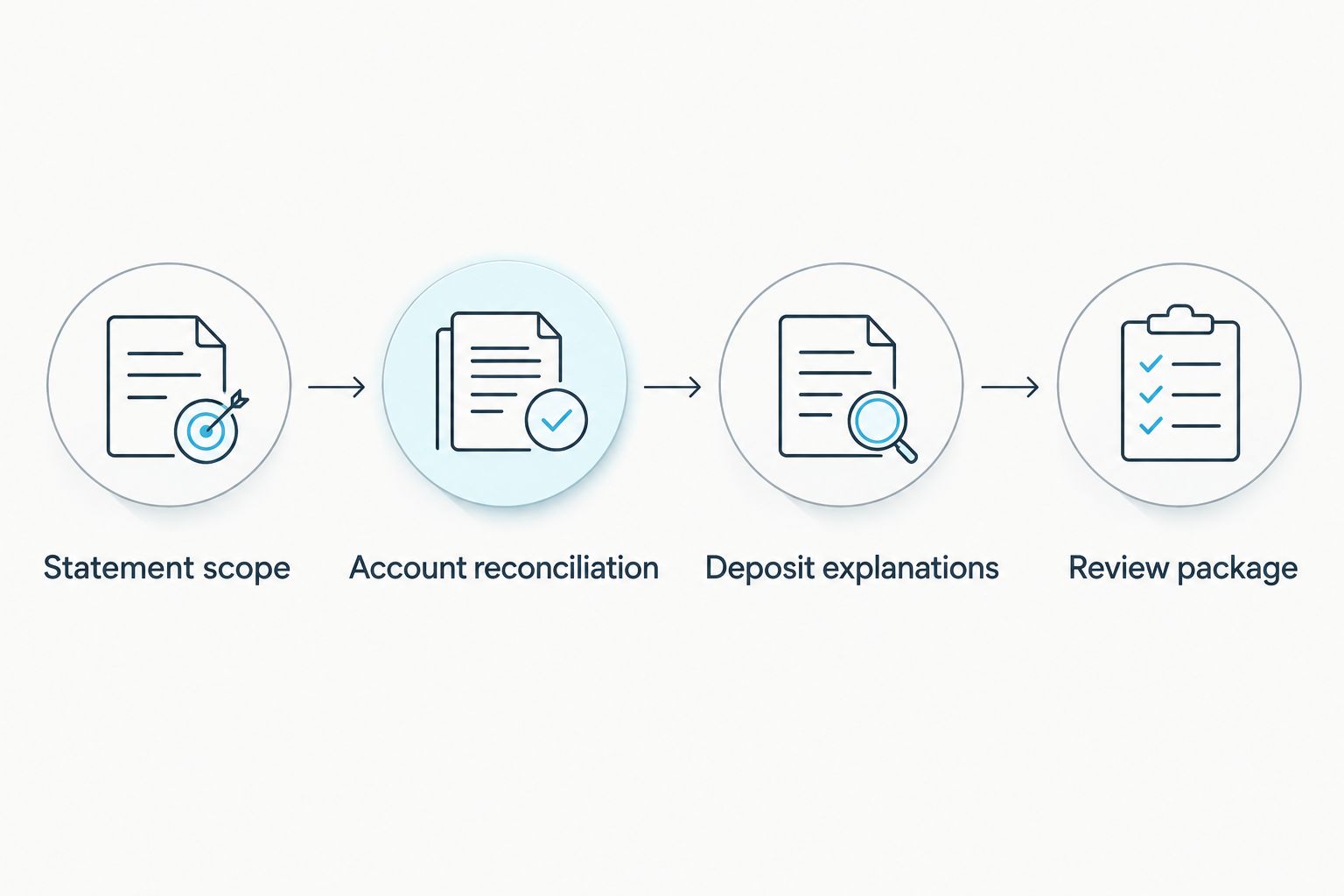
Reconcile the accounts before building explanations and assembling the review package.
Assemble your review package
Prepare the bookkeeping reports
- Open Reports in QuickBooks Online and locate Profit and Loss. Set the Report period to match the dates your mortgage contact requested.
- Check the report's Accounting method. Cash and accrual reports can show different timing; use the requested basis and disclose it rather than choosing whichever displays more income.
- Review Balance Sheet when requested. Confirm that account balances and liabilities reflect the books, and have your accountant investigate unexplained balances.
- Export the requested reports using the available export controls. Preserve the report period and accounting basis in the exported document or accompanying index.
- Compare the exported files with the on-screen reports. Check for truncated columns, missing pages, and an unintended date filter before submission.
Expected result: Each report identifies its scope and basis. The lender can distinguish a bookkeeping summary from the underlying bank evidence.
A cash-basis report still does not have to equal total bank deposits. Transfers, loan proceeds, sales-tax treatment, and settlement timing can create legitimate differences. Explain those differences rather than changing accurate records to make totals look identical.
Submit a traceable file
- Assemble the original statements, requested reports, document index, and deposit explanations. Add supporting business records only as requested or needed to substantiate an explanation.
- Ask Loanguys which documents belong in the initial bank-statement loan review and which should wait for a specific request. Avoid sending unrelated sensitive files.
- Submit through the designated channel. Record the submission date and retain a copy of the exact package you sent.
- Maintain a condition log listing each follow-up request, the responsible person, the document supplied, and its status. Ask for clarification when a request could refer to several accounts or periods.
- Confirm whether the next milestone is an initial assessment, conditional approval, or another review stage. Do not treat a document upload or preliminary income estimate as final approval.
Expected result: Your mortgage contact receives an organized file, and each follow-up request has a clear owner and supporting document.
Income review is only part of mortgage underwriting. Credit, debts, assets, property eligibility, and other program conditions still matter. For a 2026 application, a clean submission supports review; it does not replace underwriting.
Discuss your bank-statement loan file
Confirm which accounts, statements, and business records your mortgage review requires.
Refresh your file whenever a new statement arrives
Use a statement-close workflow while your application remains active. A new bank-feed transaction is not a substitute for a complete statement period.
- Download the new bank-issued statement and add it to your document index.
- Reconcile the account through the new closing date. Review newly posted transfers and processor settlements.
- Extend the deposit explanation schedule and refresh only the reports your mortgage contact requests.
- Save the update as a separate submission version. Identify which files replace earlier reports and which add a new period.
- Ask whether the new activity changes an outstanding condition or income assessment. Do not assume an older assessment automatically covers newer records.
Expected result: The file stays current without mixing completed statements, partial periods, and superseded reports.
This variant works best for an application receiving ongoing document requests. Its drawback is version confusion if you overwrite prior submissions; a dated index prevents that problem.
Troubleshooting
QuickBooks sales exceed bank deposits
Check the accounting basis, unpaid invoices, undeposited receipts, processor fees, and settlement timing. Trace the difference to source records. Do not create a deposit merely to make the report match the bank.
Transfers appear as business income
Review both sides of the transfer and ask your bookkeeper to correct any misclassification. Keep the source-account evidence available, because the receiving statement alone does not explain where the money originated.
The reconciliation beginning balance is wrong
Review the prior completed reconciliation and investigate transactions that were changed or deleted afterward. Have your accountant resolve the discrepancy before completing the current period; a forced adjustment hides the cause.
Personal and business activity share an account
Create a transaction-level explanation of the mixed activity and disclose the account's use. Ask the lender how that account will be evaluated. Opening a separate account now does not change the character of historical deposits.
The lender's income figure is below your report total
Request an explanation of excluded deposits, expense treatment, ownership adjustments, and the averaging period used. Compare that calculation with your source records. An accurate report total and an accurate qualifying-income calculation can differ because they measure different things.
Customize your workflow
Adapt the explanation schedule to how your business receives money. A consultant needs to trace client payments; a business using payment processors needs settlement evidence. Keep the underlying standard unchanged: each explanation should point to a statement entry and its source.
For the next stage, use the guide to getting approved for a bank-statement loan as a business owner. It extends the preparation process beyond bookkeeping into the mortgage application.
For your 2026 workflow, assign a person to maintain the index and coordinate accounting corrections. Software can organize records, but your mortgage contact must confirm the submission requirements and the lender's treatment of income.
FAQ
Can I use QuickBooks records to get a bank-statement loan?
QuickBooks records can support a bank-statement loan application, but they do not replace bank-issued statements when those are required. Use the reports to explain transactions and follow the lender's documentation checklist.
Does QuickBooks send my records directly to a mortgage lender?
This workflow uses exported reports and the mortgage contact's designated submission channel, not an assumed direct connection. Confirm any separate document-sharing arrangement before granting access or transmitting financial records.
Should I export cash-basis or accrual-basis reports?
Export the accounting basis your mortgage contact requests. Cash and accrual reporting recognize activity differently, so identify the basis and explain timing differences instead of switching methods to increase the total.
Do all bank deposits count as mortgage income?
No, a bank deposit is not automatically qualifying mortgage income. Transfers, borrowed funds, and owner contributions require accurate identification, and the lender determines how deposits are treated under its program.
What if my QuickBooks report does not match my statements?
Reconcile the bank account and then explain differences between bookkeeping revenue and deposited cash. Unpaid invoices, processor settlements, and non-revenue deposits can create differences that require supporting records rather than forced adjustments.
Can Loanguys approve a loan from a profit and loss report alone?
A profit and loss report alone does not establish approval for the bank-statement workflow described here. Loanguys offers bank-statement loan programs; confirm the documents required for your particular application before submitting.
Will organized QuickBooks records guarantee approval in 2026?
No, organized QuickBooks records do not guarantee mortgage approval in 2026. Income documentation is one part of underwriting, alongside credit, debts, assets, property eligibility, and other program conditions.
One last thing
A reconciled account can still contain incorrectly classified income. Balance accuracy and income eligibility are separate checks. Before submission, review the deposits that need explanation—not just the largest revenue total—and make sure each explanation leads back to evidence.


