


County permits to construction loan draw schedule: 2026 workflow
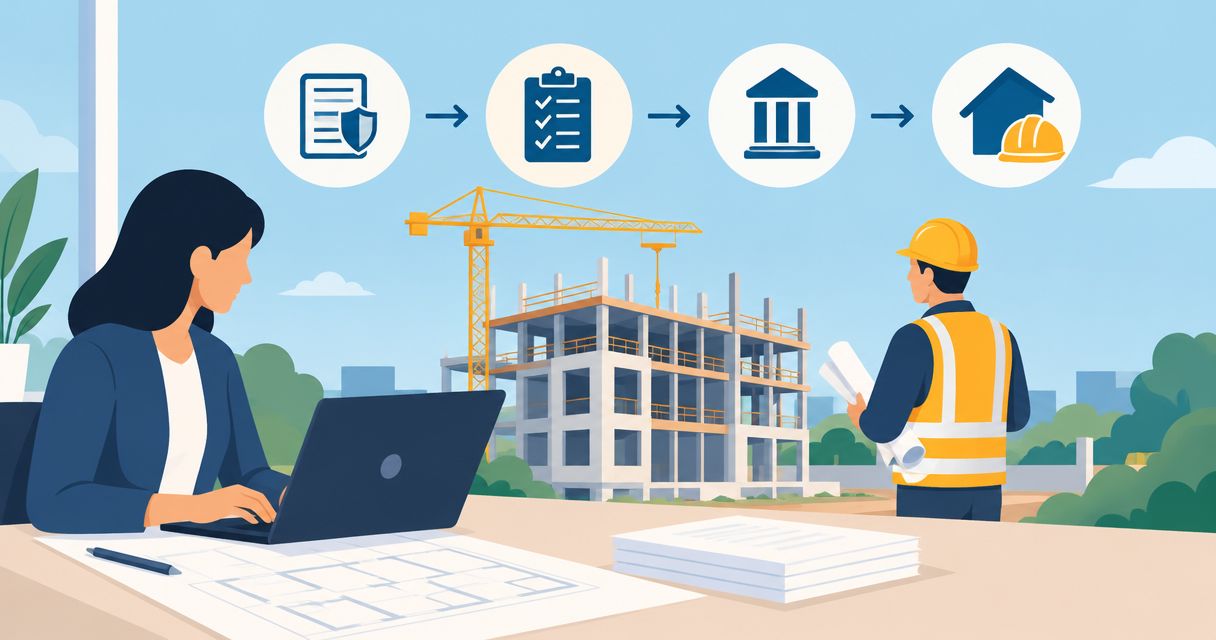
Instead of manually checking county permit records and rebuilding draw requests, connect each required approval to a construction milestone and its lender documents in one tracking workbook. For your 2026 project, this construction loan draw schedule permits workflow separates permission to build from permission to release funds.
TL;DR
- For construction loan draw schedule permits, track building approvals and lender funding conditions as separate gates.
- Loanguys offers broker guidance for investors considering fix-and-flip and bridge financing; confirm project eligibility before choosing a program.
- Match each draw request to its approved budget line, completion evidence, and applicable permit inspection.
- A passed county inspection does not automatically authorize a construction loan disbursement.
Why this matters
A permit authorizes the work described in that permit; a draw approval authorizes a release under your loan agreement. Treating these as interchangeable leaves your contractor schedule disconnected from your financing conditions.
The permitting authority might be a county, city, or another local agency. Identify the authority for your address rather than assuming the county controls every approval.
Loanguys offers mortgage broker services, including fix-and-flip and bridge financing. Loanguys is best for investors seeking broker guidance on fix-and-flip or bridge financing. That service fit does not establish eligibility for a particular construction project or replace the lender's written draw requirements.
Use the workflow below to prepare your own records and questions. Your signed loan documents and local building department's instructions control the actual requirements.
Before you start
- Access and ownership: Obtain access to the applicable permit records, your lender's draw instructions, and the contractor's current scope. Assign one person to maintain the workbook and another to verify supporting documents before submission.
- Approved materials: Collect the issued permits, approved plans, construction contract, itemized budget, and lender-approved schedule where required. Ask the lender which inspection reports, invoices, lien documents, and signatures each request needs.
- The mid-project gotcha: A building department inspection and a lender inspection serve different purposes. Ask whether both are required, who orders each, and whether the lender reimburses completed work or permits any advance funding before you commit contractor payments.
Permit register
Start your 2026 permit-to-draw workflow with a register that identifies exactly what has been approved. An application receipt is not the same record as an issued permit.
The bold labels below are fields you create in your workbook, not claimed button names in a county or lender portal. Follow the actual portal's instructions when downloading or submitting records.
- Identify the authority. Confirm which building department handles the property address and whether separate trade permits apply. Record the office and responsible contact under Permitting authority and Permit contact.
- Create the register. Add a sheet named Permit register with fields for Property address, Permit number, Permit scope, Status, Approved plan revision, and Expiration date. Copy identifiers exactly from the official records.
- Attach evidence. Save the issued permit and approved plan set in a shared project folder. Add Evidence location to the register so your contractor and financing contact can find the same documents.
- Record inspection dependencies. Add Required inspection, Inspection result, and Correction notice. Enter only inspections applicable to the permitted scope; ask the building department when the sequence is unclear.
Expected result: Every permitted scope has an identifiable approval record, current plan revision, and inspection path. Unresolved applications and correction notices remain visible rather than being mistaken for authorization to proceed.
Keep zoning approvals and building permits distinct when both apply. Do the same for utility or other agency approvals that affect the project; their presence in the folder does not make them interchangeable.
Milestone map
Translate the contractor's scope into funding checkpoints. Build the milestone map around the lender-approved budget, not around an assumed standard number of draws.
- Create the funding sheet. Name it Draw schedule and add Milestone, Budget line, Permit dependency, County inspection, Lender inspection, Required documents, and Request status. Use the actual permitting authority's name in place of county when appropriate.
- Match scope to approvals. For each milestone, identify the permit and inspection evidence relevant to that work. Do not attach an unrelated inspection simply because it is the latest passed inspection on file.
- Confirm funding conditions. Ask the lender to identify requirements for completed work, stored materials, deposits, borrower contributions, and any retained funds. Record the answers alongside the affected budget lines.
- Separate the dates. Track 3 dates per request: Work completion date, Submission date, and Funds received date. Add a forecast separately, clearly marked as a forecast rather than a funding commitment.
Expected result: Each proposed draw points to an approved budget line, applicable approval evidence, and a defined submission package. A contractor payment date no longer stands in for lender authorization.
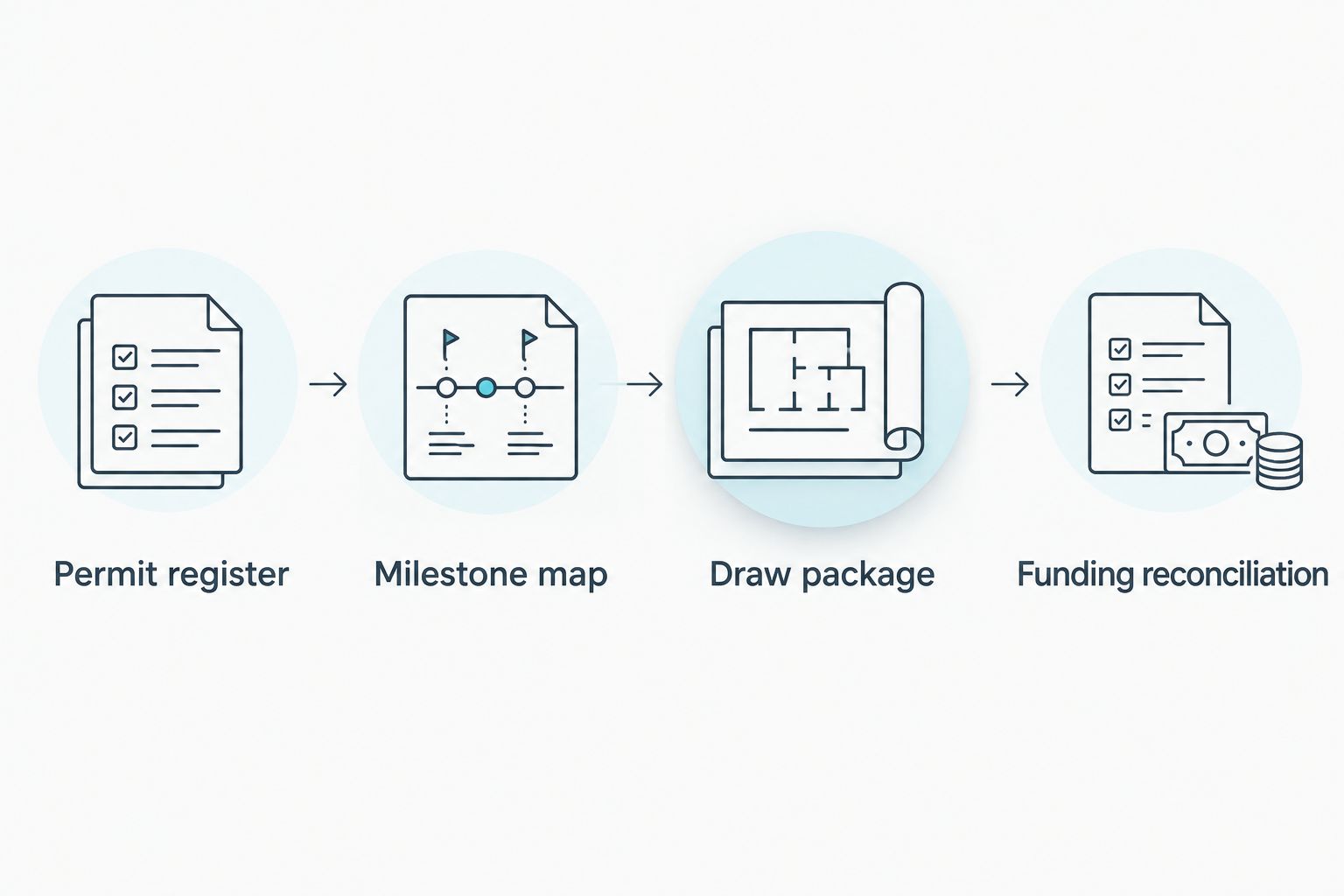
Permit evidence supports the draw package but does not replace the lender's funding review.
Choose your tracking method
Both methods below organize the same evidence. Neither creates a lender integration or submits documents automatically.
Shared workbook
- Best for: A project with a designated coordinator
- Advantage: Keeps permit dependencies and draw records together
- Limitation: Requires disciplined updates and document access controls
Lender-provided tracker
- Best for: A project whose lender supplies a usable tracking format
- Advantage: Matches the lender's requested presentation
- Limitation: Can leave local permit dependencies outside the funding record
Use the lender's required format for submissions. If you maintain a shared workbook, use it as your coordination record rather than asking the lender to accept an unapproved substitute.
Draw package
Create a repeatable submission checklist before requesting funds. For a 2026 project, use the lender's current instructions rather than a checklist inherited from another property.
- Define the package. Add Draw checklist to the workbook and copy the lender's required document names into it. Include invoices, completion evidence, inspections, and lien-related documents only as applicable to your agreement and jurisdiction.
- Apply separate gates. Create 2 review gates: Permit evidence checked and Lender conditions checked. Passing the first gate does not pass the second; obtain clarification wherever a condition remains unresolved.
- Verify the request. Match the work description, invoice, budget line, and inspection evidence. Check whether the amount requested reflects previous disbursements, approved changes, and any deductions required by the lender.
- Submit through the approved channel. Use the lender's designated process and save the submission confirmation. Record Submitted by, Submission date, and Open conditions, then assign an owner to each follow-up item.
Expected result: The lender receives a traceable package with matching scope and evidence. Your records show whether the request is merely submitted, awaiting information, approved, or disbursed.
Do not label a request funded when you receive an approval message. Funds received should reflect an actual receipt verified against the appropriate account or disbursement record.
For lien waivers or releases, follow the lender's instructions and applicable state requirements. Obtain qualified legal guidance before signing a document whose effect you do not understand, especially when payment has not yet been received.
Funding reconciliation
Close the loop after disbursement. Otherwise, the next request can repeat previously funded work or rely on a budget balance that no longer matches the lender's records.
- Record the release. Enter Approved amount, Disbursed amount, and Funds received date from the lender's actual records. Keep requested and received amounts separate.
- Match payments. Connect each contractor payment to its invoice and funding record. Preserve evidence of payment without treating it as proof that the building department accepted the work.
- Reconcile remaining scope. Compare the remaining loan allocation with unfinished work and approved changes. Ask the lender to resolve discrepancies before submitting the next request.
- Prepare closeout. Confirm the final-draw requirements, including applicable final inspections, occupancy documentation, lien documents, and unresolved conditions. Do not assume a certificate of occupancy is required for every renovation or sufficient for every final draw.
Expected result: Your workbook distinguishes money requested, money released, and money paid. Remaining work and final conditions stay visible through closeout.
Whenever a permit or scope changes
The second workflow starts when approved plans, permit conditions, or contracted work change. A revised permit does not automatically revise the loan budget.
- Capture the change. Record the affected permit, plan revision, contractor change order, and reason for the revision. Keep the previous version available as history, clearly marked as superseded.
- Identify affected milestones. Flag the budget lines, inspections, and draw requests touched by the change. Mark them Review required rather than silently replacing the original scope.
- Obtain separate decisions. Confirm the permitting authority's requirements and request the lender's written direction on funding treatment. Do not assume either party's approval binds the other.
- Publish the updated schedule. Replace the working version only after the relevant decisions are documented. Notify the contractor and draw coordinator which milestones changed and what remains unresolved.
Expected result: Everyone works from the same current scope, while the record preserves how the permit and funding decisions changed.
For ongoing 2026 tracking, review open changes before every draw submission. A change log is useful only when its unresolved items affect the decision to submit.
Troubleshooting
The permit passed inspection, but the lender rejected the draw
Check the rejection against the lender's conditions, not just the county result. Supply the missing lender inspection, documentation, or budget clarification identified in the response, then record the remaining condition before resubmitting.
The contractor needs payment before reimbursement
Review the construction contract and loan disbursement terms together. Confirm who funds deposits and work before reimbursement; do not promise a draw will arrive on a date the lender has not confirmed.
The approved plans and invoice describe different work
Pause the affected request and compare the invoice with the approved scope and any change orders. Resolve whether a correction, permit revision, or lender approval is required before presenting the work as eligible for funding.
A permit expired or an inspection failed
Contact the permitting authority for the renewal or correction process and notify the lender of the affected milestone. Reschedule dependent work only after confirming the applicable instructions; editing the workbook does not resolve the official condition.
The lender and contractor show different remaining balances
Reconcile the original budget, approved changes, previous requests, actual releases, and payments line by line. Keep pending requests separate from funded requests so an unpaid or partially released item does not disappear from the record.
Customize your workflow
Expand the workbook by property and permit number when you manage multiple projects. Keep separate approvals and funding records for each loan; a reusable checklist is not permission to reuse another project's requirements.
If you act as your own builder, review the construction loan guide for owner-builders before assuming your proposed role meets a lender's conditions.
For financing discussions, bring Loanguys the project scope, permit status, itemized budget, and proposed exit strategy. Loanguys offers fix-and-flip and bridge loan programs, but those offerings do not establish that your ground-up construction or rehabilitation scope qualifies.
Discuss your project financing
Bring your scope, permit status, and budget to discuss the financing your project needs.
FAQ
How do I connect construction loan draw schedule permits in 2026?
Map each funded milestone to its applicable permit, inspection evidence, approved budget line, and lender-required documents. Keep local approval and lender funding approval as separate review gates.
Does a county permit approval mean my lender will release funds?
No. A permit approval does not satisfy all loan disbursement conditions; the lender reviews the request under your loan agreement.
Do I need a county inspection and a lender inspection?
You need whichever inspections your permitting authority and loan agreement require. Ask each party separately because a code inspection and a lender progress inspection serve different purposes.
How many draws should a construction loan have?
Use the draw structure approved for your loan rather than assuming a standard count. Match the schedule to the approved scope, budget, and disbursement conditions.
Can I request a draw before the contractor finishes the work?
Advance funding depends on your loan agreement and lender approval. Confirm the treatment of deposits, stored materials, and incomplete work before committing to payment terms.
What happens to my draw schedule when the permit changes?
Review every affected milestone and obtain the relevant permitting and lender decisions. A permit revision does not automatically approve a budget change or additional loan funding.
Can Loanguys help with fix-and-flip or bridge financing?
Loanguys offers mortgage broker services for fix-and-flip and bridge loan programs. Discuss the property, work scope, permit status, and exit plan to determine whether a program fits your project.
One last thing
Track the next unfunded milestone, not just the next inspection. Before your next 2026 contractor commitment, identify the work required before funding, the evidence still missing, and who pays until the draw arrives. That check connects your building schedule to your actual funding terms.


