


Rent rolls to mobile home park loan underwriting: 2026 workflow

Instead of manually rebuilding your rent roll mobile home park loan package whenever a lender requests an update, create a pad-level workbook that connects leases, collections, expenses, and supporting documents. This 2026 workflow turns operating records into a traceable underwriting file without treating billed rent as collected income.
TL;DR
- For a rent roll mobile home park loan package, reconcile pad-level charges with collections before calculating property income.
- Separate lot rent, park-owned home rent, utility reimbursements, and deposits so underwriting can evaluate each correctly.
- Loanguys provides mortgage-broker guidance; confirm mobile home park eligibility before preparing a lender-specific submission.
- Keep current operations separate from projected rent increases, occupancy gains, and renovation assumptions.
Why this matters
A mobile home park rent roll describes occupancy and contractual charges. It does not, by itself, establish cash collections, operating expenses, home ownership, or the legal status of individual sites. Underwriting needs those distinctions to evaluate the property's income and collateral.
A useful rent roll explains where income comes from and lets a reviewer trace it to evidence. Start with the financing structure in this guide to financing a mobile home park acquisition, then prepare the records below.
Loanguys is best for real estate investors seeking mortgage-broker guidance rather than rent-roll management software. For a 2026 park transaction, confirm property eligibility and document requirements with the proposed lender; a residential rental program's rules do not establish commercial park eligibility.
Before you start
- Gather source records and access. Obtain the current rent roll, leases and amendments, resident ledgers, bank statements, operating statements, expense records, and a site inventory. Ask the lender which reporting periods it requires; prepare a trailing 12-month operating view when records support it.
- Confirm the financing scope. Establish the borrowing entity, transaction purpose, property address, home ownership mix, and whether homes are included in the proposed collateral. Request the lender's required format and secure document-delivery method before building the final package.
- Resolve the hidden gotcha: mixed charges. A resident payment can combine lot rent, home rent, utilities, and deposits. Preserve those components separately from the beginning. Otherwise, a bank deposit can appear to support rental income that includes refundable liabilities or reimbursements.
Use an ordinary spreadsheet alongside your accounting and property-management records. The bold worksheet and field labels below are names you create, not software menu commands. Keep source exports unchanged and perform cleanup in a separate working file.
Pad inventory
The first configuration unit establishes what exists, who occupies it, and who owns each home. Use 1 row per pad in the inventory, with a separate charge ledger for transactions; this prevents multiple charges from inflating the site count.
- Create a worksheet named Pad Inventory. Add Pad ID, Site Status, Home Owner, Resident Reference, Lease Start, Lease End, and Source Document. Use the same Pad ID across every worksheet.
- Classify each site using explicit statuses such as occupied, vacant with home, vacant without home, or unavailable. Record the reason for unavailable status rather than silently excluding that site from the inventory.
- Match each occupied site to the applicable agreement. Record whether the resident rents only the site or also rents a park-owned home, and flag missing or conflicting ownership evidence.
- Add an As Of Date and record the preparer's name. For a 2026 submission, use the actual reporting date, not the date someone last opened the workbook.
Expected result: the inventory accounts for every reported pad, and every occupied pad has an identifiable agreement or an unresolved-document flag. Do not label a site legally rentable solely because it appears on the seller's rent roll; verify the site's status through appropriate property records and due diligence.
Ownership and income comparison
Separate these arrangements even when residents make a combined payment. The distinction helps the reviewer understand the income source and which assets require further documentation.
Resident-owned home
- Best for this workflow: Identifying site-only rental income
- Advantage: Separates the land lease from home ownership
- Limitation or review issue: Requires clear ownership classification and a matching site agreement
Park-owned home
- Best for this workflow: Tracking site rent and home rent separately
- Advantage: Shows the components of a combined resident charge
- Limitation or review issue: Requires home ownership records and separate attention to home-related expenses and collateral
Neither arrangement removes the need to verify collections. Home ownership classification is a documentation question, not proof of loan eligibility.
Collections reconciliation
The second configuration unit connects what residents owe with what they actually paid. Keep the transaction detail; a monthly total alone cannot explain delinquency, prepayments, or payments applied to older balances.
- Create Charges and Receipts worksheets. In Charges, include Pad ID, Charge Period, Charge Type, Amount Billed, and Agreement Reference. Separate lot rent, home rent, utilities, fees, and deposits.
- In Receipts, record Receipt Date, Pad ID, Amount Received, Applied Period, Payment Reference, and Deposit Reference. Keep unidentified receipts in an exception list until you can support their allocation.
- Create a Reconciliation worksheet that bridges resident receipts to bank deposits. Identify processor fees, batch deposits, timing differences, refunds, reversals, and non-rental funds instead of forcing unequal totals to match.
- Add an Arrears schedule showing unpaid charges and their original due dates. Explain collections of earlier balances separately from payments against current-period charges.
Expected result: every reported collection has a ledger reference, and differences between the receipt ledger and bank activity have documented explanations. Unexplained differences stay visible rather than disappearing into an adjustment line.
For your 2026 working file, retain 3 separate views: Amount Billed, Amount Received, and Outstanding Balance. These are different measures, not interchangeable versions of revenue. Your accountant and lender should determine the accounting treatment used in the operating statement.
A partial payment also needs an allocation rule consistent with the resident ledger and applicable agreement. Do not assign it entirely to lot rent simply because that makes the property's rental collections look stronger.
Operating income bridge
The third configuration unit turns reconciled records into an operating-income schedule. Net operating income, or NOI, measures property operating income after operating expenses and before debt service; the lender determines its accepted adjustments and treatment of reserves.
- Create Operating Bridge. Begin with the historical operating statement and show separate lines for lot rent, home rent, reimbursements, and other income. Identify the accounting basis and reporting period.
- Link income totals to the reconciled schedules. Document differences caused by timing, accrual entries, concessions, bad debt, or other accounting adjustments. Do not combine current results with planned rent increases.
- Organize operating expenses by category, including taxes, insurance, utilities, maintenance, management, and other applicable property expenses. Separate capital work from recurring operations and flag uncertain classifications for review.
- Add columns named Historical, Proposed Adjustment, Support, and Lender Accepted. Leave the last column unconfirmed until the lender responds; a seller's adjustment is not automatically an underwriting adjustment.
Expected result: the reviewer can move from source records to historical results and then inspect each proposed change without reconstructing your assumptions.
Debt service coverage ratio, or DSCR, compares qualifying property income with debt service. For commercial park underwriting, ask which NOI definition, debt-service assumptions, and reserve treatment the lender uses. Do not substitute gross scheduled rent for NOI.
Use matching periods when calculating coverage: annual qualifying NOI divided by annual debt service, or matching monthly figures if the lender requests them. Loan-to-value, or LTV, compares the loan amount with the applicable property value; the rent roll alone establishes neither that value nor the permitted loan amount.
Submission package
The final configuration unit makes your workbook reviewable. A polished summary is useful only when its underlying evidence remains accessible and the version is clear.
- Create Document Index with Document Name, Reporting Period, Related Pad, Related Schedule, and File Reference. Include leases, amendments, collection evidence, expense support, and ownership records where applicable.
- Create Exceptions with Issue, Affected Record, Requested Evidence, Responsible Person, and Status. Keep unsupported income, missing leases, and unresolved ownership questions visible.
- Prepare a dated summary showing the property identity, reporting cutoff, occupancy definitions, historical operating results, and outstanding exceptions. Submit the workbook in the format requested by the lender, with supporting files through its approved secure channel.
- Save a read-only submission copy. Retain the working version separately so later edits cannot silently change the package already under review.
Expected result: the underwriter receives a dated package with a clear path from summary to schedule to source evidence. The submission also identifies what remains unresolved instead of implying that every record has been verified.
The process follows a fixed sequence: Pad inventory, Collections reconciliation, Operating income bridge, and Submission package. Reconcile first; summarize afterward.
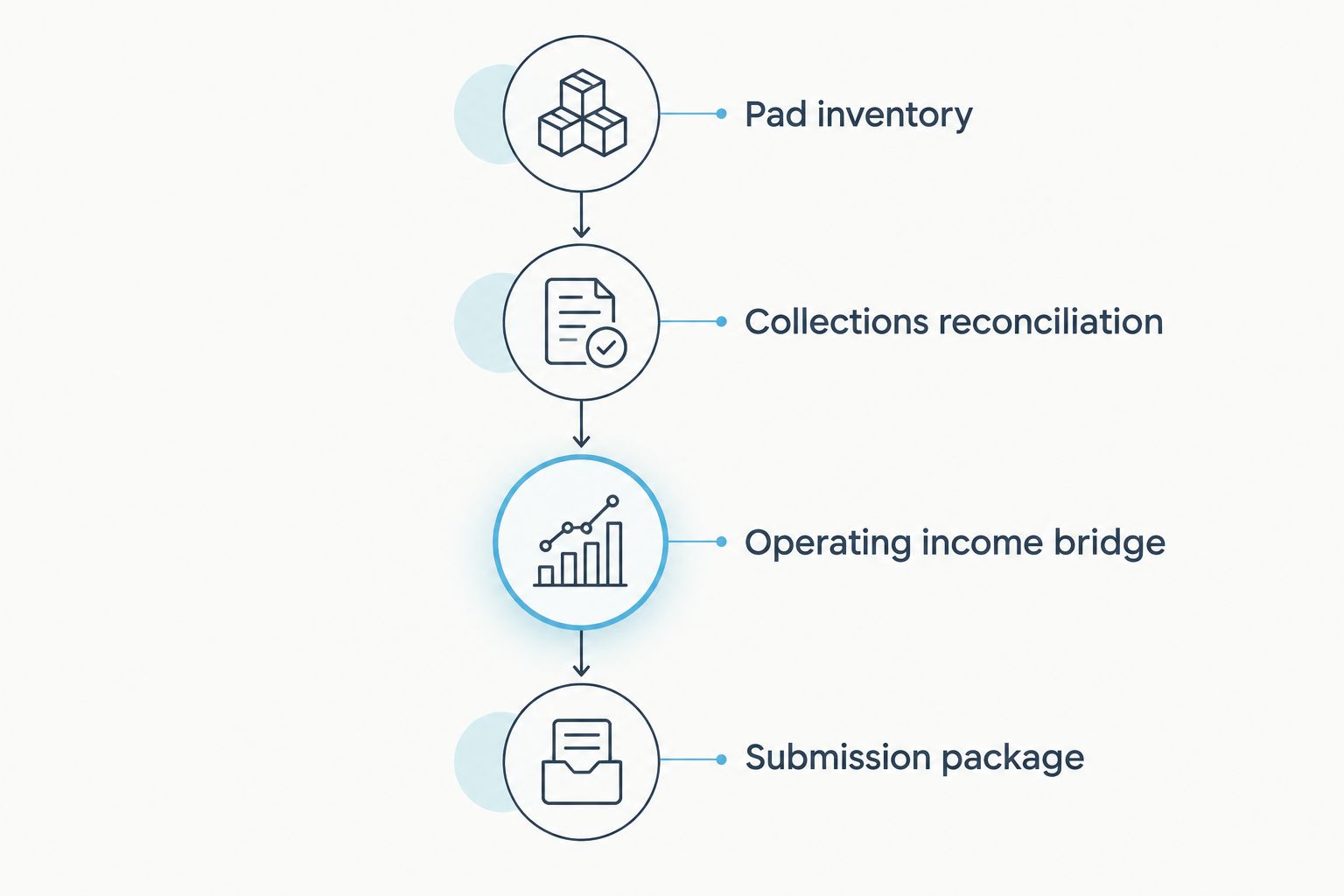
Each summary should trace back to reconciled records and supporting evidence.
Update the package whenever the rent roll changes
An initial acquisition package and an underwriting update use the same structure. The update needs an additional change log so the lender can distinguish new activity from corrections to earlier records.
- Preserve the previously submitted workbook and record the new reporting cutoff.
- Refresh the inventory, charges, receipts, and operating schedules using the same pad identifiers.
- Log move-ins, move-outs, ownership changes, executed lease changes, reversals, and corrections. Distinguish the effective date from the entry date.
- Reconcile the revised totals and submit a change summary with replacement documents where needed.
Best for active transactions: use this update workflow when the lender requests refreshed operating records or a material change affects the submission. Its advantage is a visible audit trail; its limitation is that incorrect source classifications will carry into every refresh unless you correct them.
Keep a proposed rent increase outside current contractual rent until the supporting agreement or notice makes its status clear. For a 2026 update, label future assumptions separately from income already earned or collected, and let the lender determine acceptable treatment.
Troubleshooting
The rent roll exceeds bank deposits
Start with the difference between charges and receipts. Review unpaid balances, concessions, collection timing, reversals, and deposits received after the reporting cutoff; then bridge receipts to bank activity. Do not reduce the rent roll merely to make totals agree.
A combined payment obscures lot and home rent
Return to the agreement and resident ledger. Split the charge categories with supporting references, then show how the payment was applied. If the agreement does not support a reliable split, flag the issue rather than inventing an allocation.
Occupancy totals differ across documents
Reconcile site by site using Pad ID. Check whether one document counts occupied homes while another counts leased pads, and identify unavailable or disputed sites separately. State the denominator behind every occupancy calculation.
Utility reimbursements inflate the income summary
Keep utility collections and corresponding utility expenses visible. Explain whether the historical statement presents reimbursements gross or net, and ask the lender which presentation it requires. Never include both presentations in the same income total.
The lender questions park-owned home income
Provide home ownership evidence, the relevant rental agreements, a separated income schedule, and applicable expense records. Ask whether the lender includes that income and those assets in its analysis. A complete schedule supports review; it does not compel acceptance.
Customize your workflow
Add a capital-work schedule when repairs, infrastructure work, or home replacements affect the business plan. Keep completed expenses, remaining work, and projected operating improvements distinct so the current income file does not become a renovation forecast.
For work involving permits and staged funding, the county permits to construction loan draw schedule workflow addresses a separate documentation process. Connect the records by reference rather than treating a construction budget as an operating expense schedule.
Before discussing a mobile home park loan with Loanguys, prepare a concise property summary and ask whether the property type fits a lending route under consideration. Confirm fit before commissioning lender-specific reports or rebuilding records to a particular format.
FAQ
What should a rent roll for a mobile home park loan include?
Include a stable pad identifier, occupancy status, home ownership classification, contractual charges, lease dates, and a reporting cutoff. Support the summary with agreements, resident ledgers, collection records, and a separate arrears schedule.
Is a rent roll enough to qualify for a mobile home park loan?
No. A rent roll does not establish operating expenses, verified collections, collateral eligibility, or borrower qualification. Ask the proposed lender for its complete property and borrower documentation requirements.
How do I separate lot rent from park-owned home rent?
Use the rental agreement and resident ledger to identify each charge component. Keep lot rent and home rent on separate schedule lines, and flag unsupported allocations for clarification.
How many months of operating records should I prepare?
Prepare the reporting periods requested by the lender. A trailing 12-month operating view is a useful preparation format when supported by records, but it is not a universal lender requirement.
Can I include planned rent increases in current income?
Keep planned increases separate from current contractual charges and historical collections. Supply supporting agreements or notices and ask the lender how it treats future income assumptions.
How is DSCR calculated for a mobile home park?
For commercial property analysis, DSCR generally divides qualifying net operating income by debt service for the same period. Confirm the lender's definitions, expense adjustments, reserve treatment, and financing assumptions before relying on the result.
Does a reconciled rent roll guarantee approval?
No. Reconciliation supports income review but does not establish property eligibility, value, acceptable collateral, or borrower approval. Loanguys can be approached for mortgage-broker guidance, with property fit confirmed before a lender-specific submission.
One last thing
Keep the original error as well as the correction. An overwritten payment allocation or occupancy classification removes the evidence needed to explain why submitted totals changed. Preserve the original export, document the correction, and reference its support in the next version.


