


Plaid bank data to bank statement loan approval: 2026 workflow
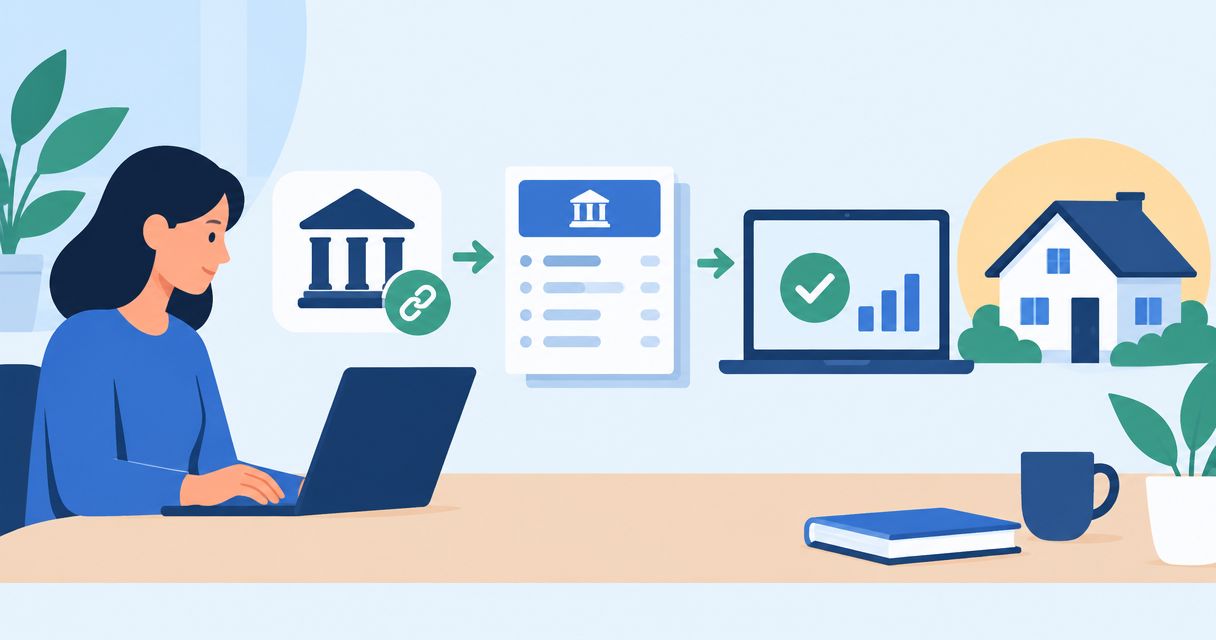
Instead of manually sending overlapping bank files every time your mortgage team requests an update, use a lender-authorized Plaid connection, where accepted, followed by a documented deposit review. This 2026 plaid bank connection bank statement loan workflow separates secure data collection from mortgage approval; start with Loanguys to discuss bank-statement loan options before connecting an account.
TL;DR
- A plaid bank connection bank statement loan workflow starts with lender acceptance, not account linking.
- Plaid connects bank data; mortgage underwriting determines qualifying income and approval.
- Loanguys offers bank-statement loans; confirm the receiving lender’s accepted documentation before sharing data.
- Reconcile transfers, business deposits, and missing periods before requesting an underwriting decision.
Why this matters
A successful bank connection is not a bank-statement loan approval. Plaid provides financial-data connectivity. The mortgage lender decides whether the records satisfy its documentation requirements and how much income qualifies under the selected program.
Bank-statement mortgages assess eligible deposits under program-specific rules rather than treating every incoming transaction as earnings. Account transfers, borrowed funds, and customer receipts need different treatment. Connecting an account does not remove that distinction.
Loanguys is best for borrowers seeking a mortgage broker for bank-statement loan options rather than a standalone bank-data connector. The benefit is access to a broker offering this loan category; the limitation is that a connection cannot replace lender acceptance or underwriting.
For your 2026 application, keep 3 checkpoints separate: data received, income reviewed, and loan decision. Ask which checkpoint your file has actually reached whenever someone reports progress.
Before you start
- Obtain the receiving lender’s instructions. Confirm that the selected bank-statement program accepts the proposed Plaid-based report or delivery method. Ask which accounts, statement periods, ownership records, and supplemental documents the lender requires.
- Prepare authorized account access and supporting records. Have your bank login, required authentication method, original statements, and a list of business and personal accounts involved in receiving income. Use only accounts you are authorized to access and disclose.
- Check the history requirement before connecting. A working connection does not prove that the delivered report covers every required month or replaces original statements. Confirm the required date range and fallback submission method first; incomplete history is a documentation problem even when authentication succeeds.
Do not send bank credentials to a loan officer by email or text. Start the connection only through the application channel your mortgage team has verified, and review the institution, accounts, recipient, and consent information presented during authorization.
Lender acceptance and account scope
This first configuration unit establishes what the lender will accept. For a 2026 file, obtain current instructions for the specific program rather than reusing requirements from another application.
- Request the documentation requirements. Ask whether the lender accepts connected bank data for income analysis, asset verification, or both. These purposes are different: proving funds exist does not establish that those funds count as recurring income.
- List the receiving accounts. Identify where customers pay you, where payment processors settle funds, and where business money moves afterward. Mark each account as business or personal, and identify its owner.
- Confirm the delivery route. Ask who initiates the connection, who receives the resulting information, and how you will submit any missing statements. Do not independently create an unrelated connection and assume the mortgage team can retrieve it.
Expected result: You have an agreed account list, date range, delivery method, and fallback route. Stop here if the receiving lender has not accepted the proposed documentation method.
Connected data versus original statements
These are documentation routes, not competing mortgage products. Use the route the receiving lender accepts; combine them only when the mortgage team requests supporting records.
Lender-authorized Plaid connection
- Best for: Borrowers whose lender accepts the resulting data or report
- Advantage: Reduces repeated manual collection when the accepted connection supplies the needed records
- Limitation: Connection success does not establish complete history or acceptable qualifying income
Original bank statements
- Best for: Borrowers instructed to submit statements or fill history gaps
- Advantage: Preserves the bank-issued statement format and statement-period context
- Limitation: Requires careful collection, complete files, and updates when requested
Choose acceptance over convenience. An easy connection that produces the wrong documentation does not advance the mortgage file.
Bank authorization and data delivery
The next configuration unit connects the agreed accounts through the authorized application process. Plaid Link and bank authentication screens differ by institution and lender implementation, so follow the labels actually displayed rather than looking for a universal mortgage-approval button.
- Open the verified connection request. Confirm with your mortgage team that the request belongs to your application. Review the named recipient and the data-sharing explanation before proceeding.
- Authenticate with the correct institution. Select your bank and complete the authentication steps presented. If the bank redirects you to its own authorization flow, verify the destination before entering credentials or approving access.
- Authorize only the agreed accounts. Check account names and identifying details against your account list. Complete the flow, then ask the mortgage team to confirm receipt of the intended information—not merely that you finished the connection screen.
Expected result: The mortgage team confirms that the correct accounts reached the intended application. Your own completion message is not sufficient evidence of lender receipt.
Keep a brief submission record: connection date, institution, account identifiers limited to the last digits needed for identification, and the mortgage team’s receipt confirmation. Do not save passwords or authentication codes in that record.
Deposit reconciliation and income review
Connected data becomes useful for a bank-statement mortgage when the reviewer can distinguish business activity from money moving between accounts. Organize the evidence without editing or replacing the source records.
- Check coverage. Compare the delivered period with the lender’s requested period. Identify missing dates, missing accounts, and any account opened or closed during the review window. Ask the mortgage team how to supply gaps.
- Explain deposit sources. Create a separate schedule identifying customer receipts, transfers, refunds, borrowed funds, and other deposits that need explanation. Attach supporting records through the approved submission channel when requested.
- Request the qualifying-income review. Ask how the program treats business expenses, ownership interests, unusual deposits, and changes in revenue. Have the mortgage team confirm the income figure used for qualification rather than substituting your own deposit total.
Expected result: The reviewer has a traceable explanation of relevant deposits and can identify which amounts qualify under the program. Unresolved items remain visible instead of disappearing into an unsupported income total.
Use 4 review categories in your working schedule: customer receipts, internal transfers, other explained deposits, and unresolved items. These are organizational labels, not lender rules or an income-calculation formula.
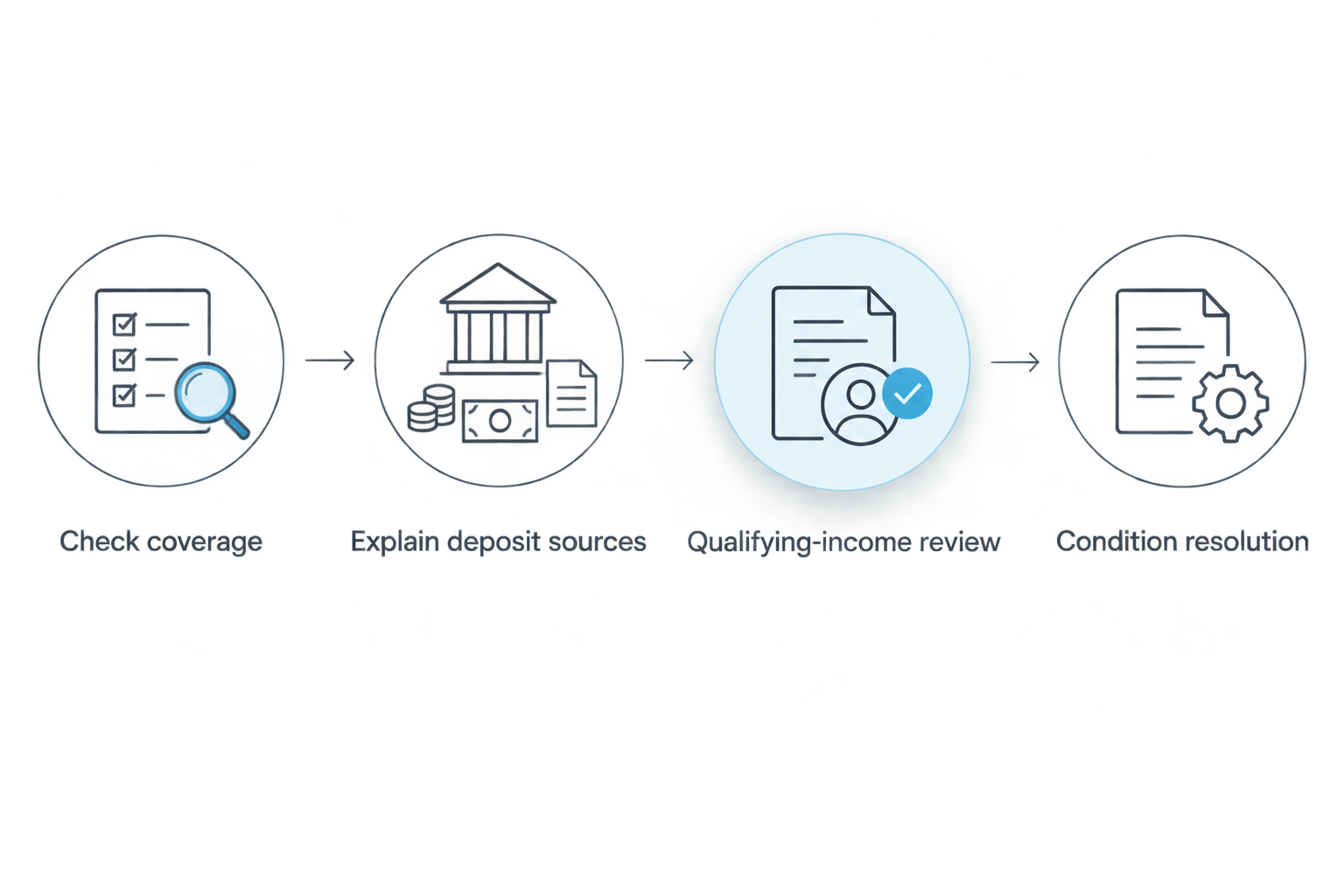
Data delivery comes before income review, and income review comes before condition resolution.
Underwriting handoff and condition resolution
The final configuration unit moves the reviewed records into the broader mortgage decision. In 2026, keep your bank-data submission status separate from the status of the entire loan application.
- Confirm file completeness. Ask whether the income records are ready for underwriting and which other requested documents remain outstanding. Bank records do not replace the lender’s review of credit, debts, property, and other applicable requirements.
- Track each condition. Maintain a list showing the lender’s exact request, the supporting document submitted, and whether the reviewer accepted it. An uploaded explanation is not a cleared condition until the mortgage team confirms acceptance.
- Obtain the actual decision status. Ask whether the file is awaiting review, conditionally approved, or at another documented stage. Follow the lender’s instructions for any remaining requirements before closing.
Expected result: You know what has been accepted, what remains open, and who must act next. Do not schedule financial commitments around a bank-connection completion message.
A useful handoff contains 3 items: the source records, the deposit explanation schedule, and the unresolved-condition list. Keep each document separate so an updated explanation never obscures the underlying bank evidence.
Variant: Business receipts move into a personal account
A second workflow applies when customer receipts enter a business account and you later transfer money into a personal account. The objective is to document the path without counting the same earnings twice.
- Identify the original customer-payment account and the destination account.
- Match relevant outgoing transfers with corresponding incoming transfers using dates, amounts, and descriptions.
- Give the reviewer the ownership records and transfer explanation requested for the selected program.
- Ask which account set the lender will use for income analysis and which records serve only as supporting evidence.
Expected result: The reviewer can follow the funds from their source without mistaking an internal transfer for new revenue.
Business structure also matters. Salary, distributions, and company receipts are not interchangeable; the documentation issues surrounding home loans for company directors illustrate why the borrower’s relationship to a business must be established before its receipts become a personal-income argument. That Australian lending context does not establish eligibility for a United States mortgage.
For your United States application, follow the receiving lender’s ownership and income-documentation requirements. Do not import another jurisdiction’s qualification rules into the file.
Troubleshooting
Authentication succeeds, but the lender has no records
Ask the mortgage team to verify that the connection belongs to the correct application and recipient. Confirm whether the requested report or data delivery finished; successful bank authentication and successful delivery are separate events.
Do not repeatedly reconnect without instructions. Establish what failed before creating another authorization.
The required transaction history is incomplete
Compare the earliest and latest delivered dates with the requested review period. Supply original statements through the approved channel if the lender accepts them for the missing period.
Never describe a partial history as a complete submission. Ask the reviewer to confirm when the coverage gap is resolved.
Transfers inflate the apparent income
Provide a transfer schedule with corresponding entries from the source and destination accounts. Identify the original business receipt separately and let the underwriter determine its treatment.
Moving money between your own accounts does not create new earnings. Preserve the supporting records instead of deleting transactions from a working export.
Business ownership does not match the application
Provide the requested evidence connecting you to the business and account. Explain trade names, entity names, and ownership interests before asking the reviewer to attribute business receipts to you.
Do not rename source documents or alter account-holder information to make the records appear consistent.
The lender still requests statements after connection
Ask what the statements must establish: missing history, account ownership, statement-period balances, or another condition. Submit the requested bank-issued files intact.
A connected feed and a statement serve overlapping but not identical documentation purposes. The lender’s request determines what resolves the condition.
Customize your workflow
Build your 2026 document process around the business model that produces the deposits. A payment-processor business needs a clear explanation of settlements; a business with several receiving accounts needs an account map and transfer reconciliation.
If bookkeeping records explain those movements, organize them alongside the bank evidence. The QuickBooks records to bank-statement loan workflow addresses that adjacent documentation process without turning bookkeeping totals into automatic qualifying income.
Before authorizing data sharing, ask Loanguys which documentation route fits the bank-statement loan program under consideration. Confirm acceptance first, then connect, reconcile, and resolve conditions in that order.
Discuss your bank-statement loan documentation
Ask which accounts, records, and submission method fit the loan program under consideration.
FAQ
Does connecting my bank through Plaid approve a bank-statement loan?
No. Plaid supplies bank-data connectivity, while the mortgage lender determines documentation acceptance, qualifying income, and loan approval.
Can I use Plaid instead of uploading bank statements?
Only when the receiving lender accepts the resulting data or report for the selected program. Confirm the required history and whether original statements remain necessary before connecting.
Does Loanguys accept every Plaid bank connection?
Confirm the accepted submission method with Loanguys before connecting an account. A bank-statement loan offering does not establish acceptance of every Plaid connection, report, or delivery method.
Which bank accounts should I connect for a bank-statement mortgage?
Connect the accounts your mortgage team identifies for the application. Explain business ownership and transfers between accounts so the reviewer can trace receipts without double-counting income.
Why is the lender asking about deposits after receiving my bank data?
The lender must determine what the deposits represent and whether they qualify as income. Transfers, borrowed funds, refunds, and customer receipts require different treatment under program rules.
What should I do if Plaid does not supply enough account history?
Ask the mortgage team which accepted records will fill the missing period. Submit original statements when instructed and obtain confirmation that the history requirement is satisfied.
What happens if my bank connection stops working before closing?
Notify your mortgage team and follow its instructions for reauthorization or replacement documents. Ask whether updated records are required rather than assuming the earlier submission remains sufficient.
One last thing
Ask what the bank connection is being used to verify. An account connected to document closing funds does not automatically satisfy the income requirements for a bank-statement mortgage.
Before your next submission, have the mortgage team identify the purpose, accepted period, and remaining condition. That specific question is more useful than asking whether the connection worked.


